
Why upgrade? The Legacy Flex Page (Old) template is no longer actively developed. The Default Template (Flex Content Page) supports unlimited content blocks per tab in any order, plus newer block types like Promo Grids, Full-Width Promos, Video Galleries, and the Benefits Comparison Table. Legacy pages will continue to work as-is — this is an optional upgrade.
Upgrade with the Page Template Migration Tool
- Edit the legacy page.
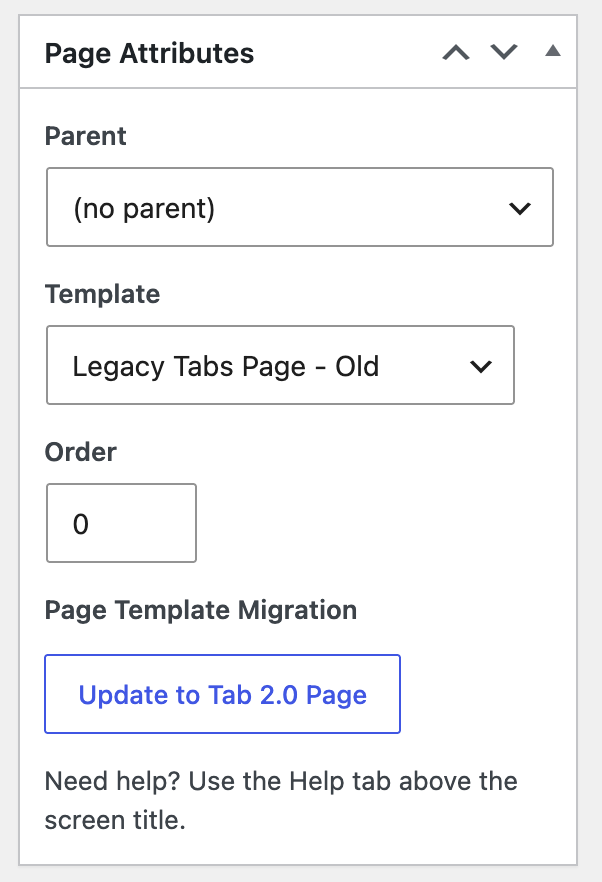
- Under Page Attributes >> Page Template, click Update to Tab 2.0 Page.
- A confirmation window lists the blocks that will move to the new page. Every legacy content type has a match in the new template, so you won't see blocks left behind.
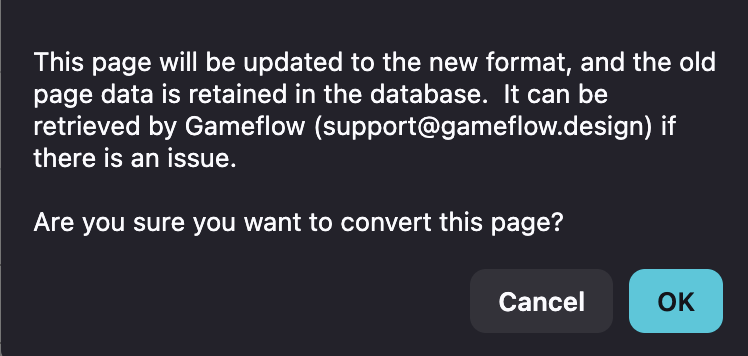
- Click OK. The page converts in place, keeps its URL, and reloads in the new editor.
- View the page and check tabs, headings, images, and embedded shortcodes.
Your old page content is kept in the database. If something doesn't look right after converting, send us a support ticket and we can restore the legacy version.
Content Block Reference
| Legacy Field | New Content Block |
|---|---|
| Content | Text / Content (HTML) |
| Content 2 | Text / Content (HTML) |
| Content 3 | Text / Content (HTML) |
| Gallery | Gallery |
| Map | Map |
| FAQ | Accordion / FAQ |
| Testimonials | Testimonial Gallery |
| Downloads | Downloads |
| Partner Grid | Partners / Sponsors |
| Event List | Event List |
| People | People List |
| Posts | Post / Blog List |
Tip: The legacy template allowed only one of each field type per tab. The new template supports multiple blocks of the same type — so Content, Content 2, and Content 3 each become their own separate Text / Content (HTML) block, preserving your original layout.
Need Help?
If you get stuck on a specific content block or something doesn't look right after publishing, submit a support ticket and we'll take a look.