
TABLE OF CONTENTS
- Latest Updates (Minor Releases)
- Groundplan Sites 2.3 - Fall 2026
- New Features
- More Header Layout Options - Search and Button Styles
- Counter and Goal Grid Blocks
- Page Template Migration Tool
- Global Event Footer Section
- Event Grid Layout: Captions and Buy Tickets Button Formats
- Promo Grid Layout: Captions below the image
- Text Layout for People Lists
- Text Layout for Sponsors with No Logo
- Backstage Improvements
- New Integrations
- Quality of Life and Compliance Improvements
- New Features
- Past Updates
Latest Updates (Minor Releases)
Training Recordings in the Help Menu
Links to your organization's training records are easy to miss, so we've added a direct link to training records right in the Documentation tab of the Help Menu.
Gallery Shortcode
The theme now handles the WordPress built-in shortcode [gallery ids="999,998"] when passed an array of media ids by including an image gallery. The [gameflow_gallery] shortcode works the same way.
Bugfixes and Other Goodies
- VBO Ticketing Feature: we now support Event Date links from the Calendar with embedded seat selection views, so customers can click from the calendar to their desired performance.
- Bugfix: Carousel blocks without enough events or sponsors (less than the "display at one time" count) fall back to comparatively sized grids, instead of a visual slider error, so events are always visible even if there aren't enough upcoming.
- Bugfix: Fixed an issue where some galleries and sliders on secondary tabs didn't redraw when the tab was activated, which resulted in their contents being invisible.
- Bugfix: Fixed the sort order of All Events (Upcoming First) for Grid and Carousel lists when in the middle of a season - Sort order now matches the List view, with Ascending date for upcoming events then descending dates for past events.
- Bugfix: Fixed an issue where the first performance of a mini calendar wouldn't load on tabbed event pages when the setting was on.
- Bugfix: When calendar filters were on but no filters were selected, the calendar no longer displays the series dropdown as a default.
- Performance: Improved testing and functionality when WP Offload Media's "Remove offloaded Media" setting is enabled, including optimization and upload interactions with Shortpixel and media display functions.
- Design: Improved and adjusted Feature layouts with alternative positioning, especially top, center, middle and right positions. Buttons have improved positioning and on large screens we get more of the overlay out of the way of the background, while keeping a readable line length to title and teaser.
- Design: Improved layout of Event List Call to Action Buttons.
- Design: Improved layout of Partner Organization Grids (The local business directory mode of sponsor grids).
- Design: Fixed an issue where the date would wrap on a closed event or class to make room for calendars and buy tickets buttons that are hidden in that case.
- UX: Loosened rules so that when a short title is set, the Event List displays the full Title. The short title will only be seen in spaces where there's limited space, such as the Event Grid view and Calendar.
- UX: Added font styling and sizing to inline captions in the WYSIWYG editor, to make them balanced with body text.
- UX: Fixed an issue where event carousels and some types of galleries on secondary tabs would hide their contents when the tab was selected.
Groundplan Sites 2.3 - Fall 2026
New Features
More Header Layout Options - Search and Button Styles
New header layout options have been added in Groundplan Theme Settings >> Header. Search Bar in Header: You can now add a search icon in your header. Clicking it opens a search field in place on desktop; on phones the icon sits beside the menu button and opens the menu with the search field already focused, so there is no cramped field competing with your logo. The whole setup is keyboard operable and reads correctly to a screen reader.
Up to Three Buttons, and a choice of styling
You can now add a third header button, and each button can include an optional icon. Two styles are available: Button Bar is the updated classic style, joining buttons into one bordered bar separated by a hairline; and Distinct Buttons draws each as its own button. Sites using the Hamburger Menu style are still limited to two buttons, drawn distinctly, so the header still fits on tablets.
If you'd like color customization on your buttons, just drop us a support line!
Counter and Goal Grid Blocks
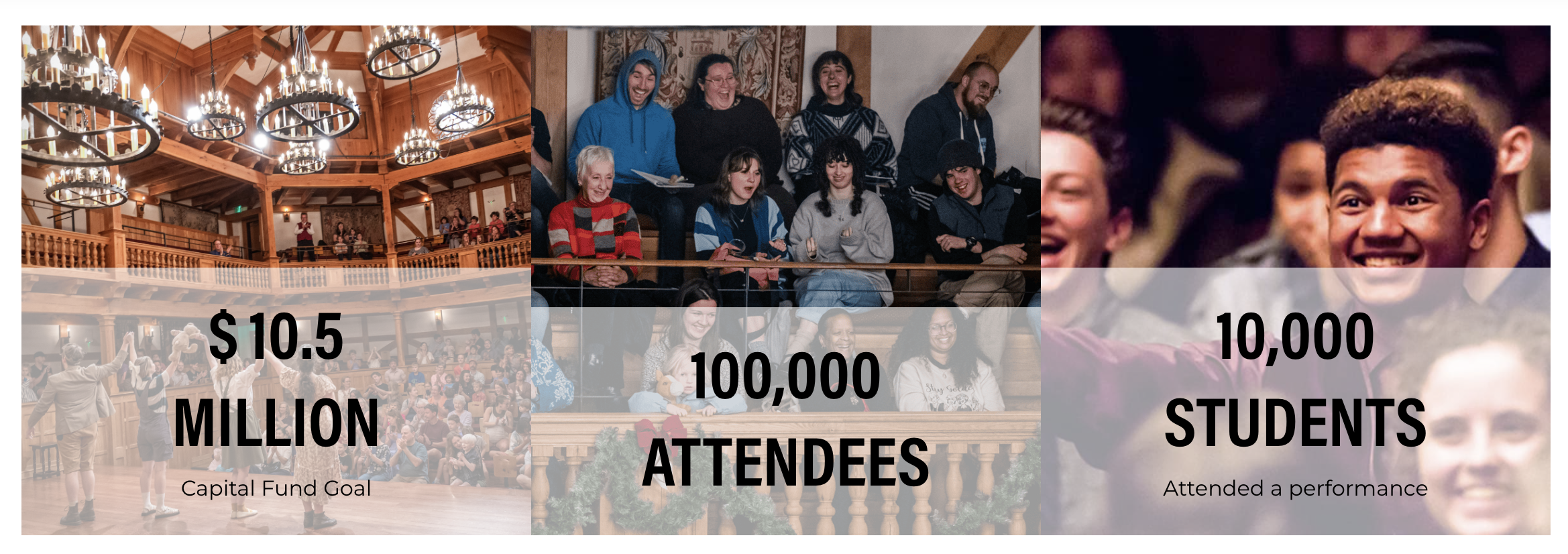
We've added a new block for the numbers you want people to remember on campaign pages — dollars raised, students reached, years in the community, seats filled. Each counter animates up from zero when the visitor scrolls it into view, then holds at your number. Add a prefix or suffix for currency and units, decimals where you need them, and an optional image, teaser line, and link per counter. Visitors who have asked their device to reduce motion see the final number straight away rather than the count.
Page Template Migration Tool
For older sites where there are still lots of old Legacy pages (which are more limited and confusing as they don't have page features from the past 5 years), we now have a simplified tool to help you upgrade those pages quickly. There's also a tool to help you convert a Flex Page with a single tab to a Landing Page, and vice versa.
Under "Page Attributes >> Page Template" you'll now find a button to update or convert your page.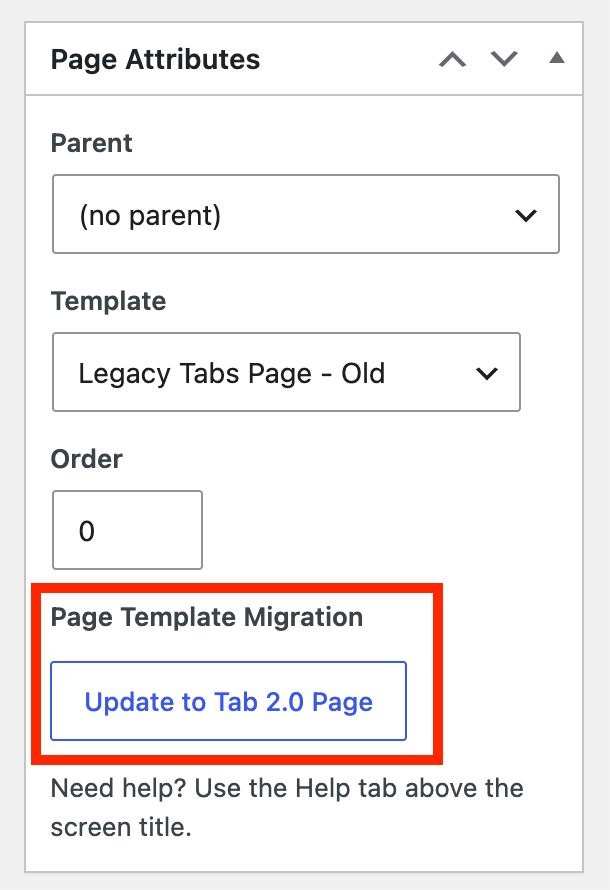
Just click the button and review any warnings about the conversion, and your page will be converted in place.
Global Event Footer Section
With audiences that tend to buy a single ticket straight from a google search, sometimes the event detail page is the only reliable starting point for a customer interaction. In these cases, it can be helpful to have an evergreen content area that appears at the bottom of every event page to onboard the customer to common offers, accessibility features, policies and procedures like it's their first time at your venue. You can build it from any combination of content blocks to create a clear and polished footer section.
- Enable the Global Event Footer section by adding blocks under Groundplan Theme Settings >> Event Settings >> Global Event Footer. This field works just like any other tab on the site.
- You can selectively hide the Global Event footer content on specific events under Event Layout >> Hide Global Event Footer on this Event
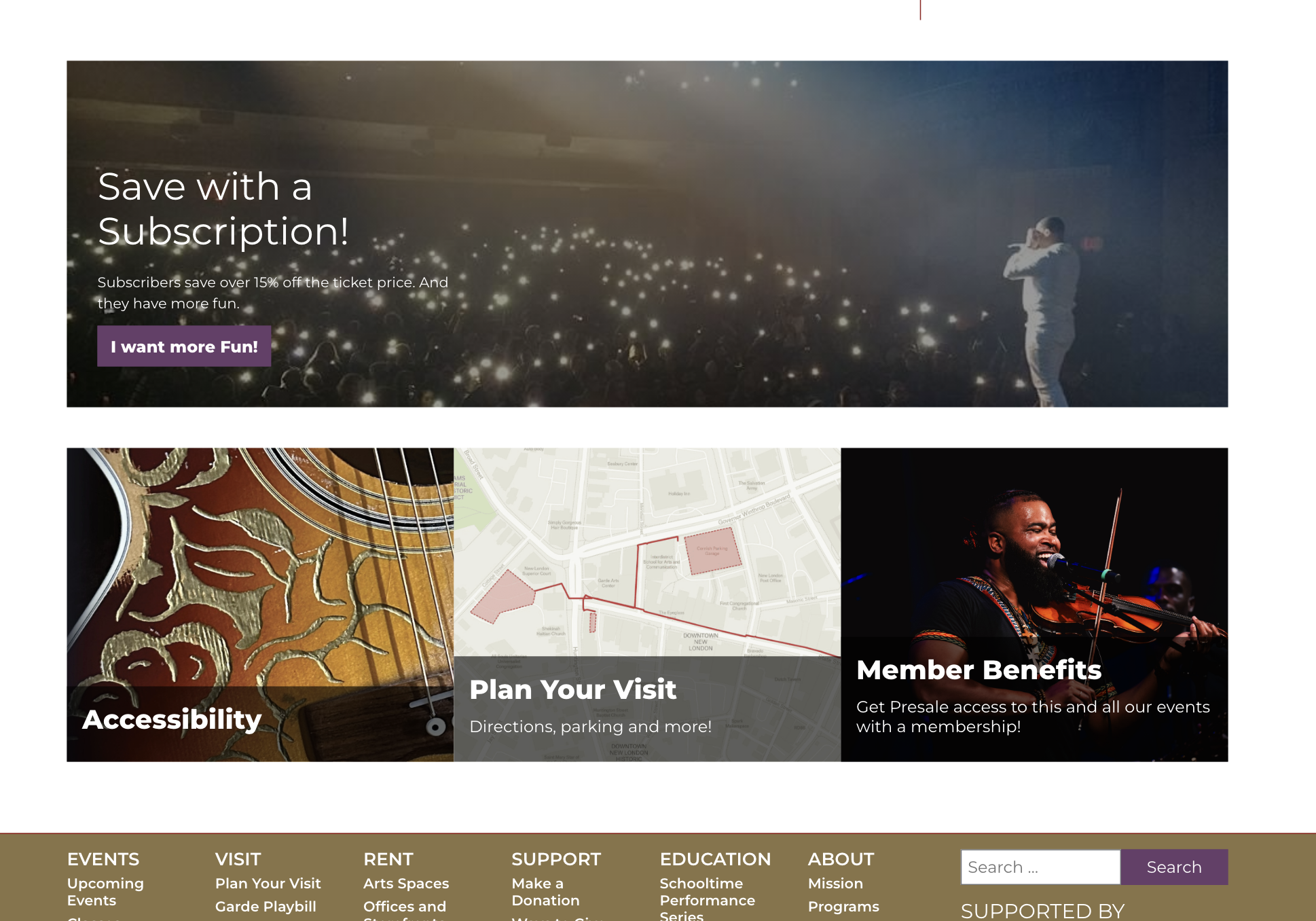
The Global Event Footer appears above the site footer on event pages, but below any tabs you have on that page. Here's an example with a full width promo and promo grid, which are particularly handy to anchor the page:
Event Grid Layout: Captions and Buy Tickets Button Formats
Event grids and carousels now support additional layouts including the short description and an optional two-button format that links to both detail pages and the direct buy tickets button.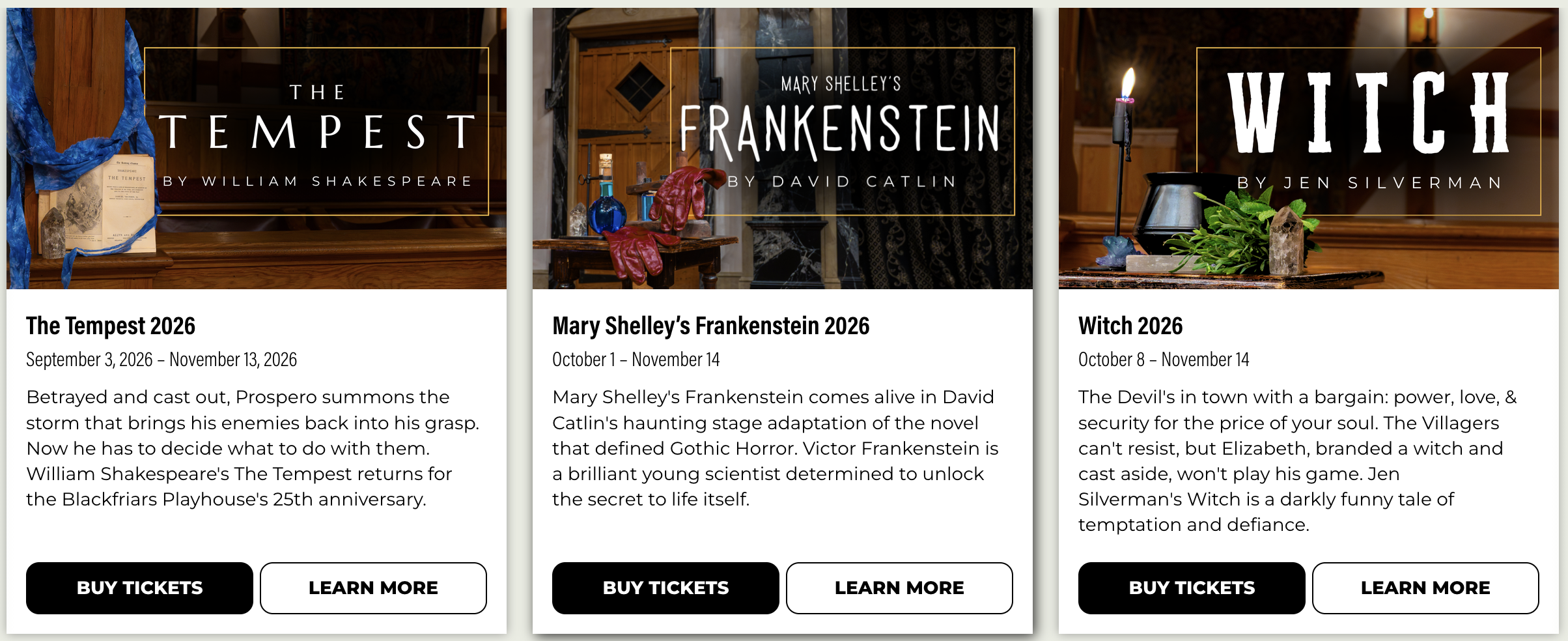
You can customize this on spot event lists if you want, or set a global default (in Groundplan Theme Settings >> Events Settings) so that all your event lists will include this content.
Promo Grid Layout: Captions below the image
Promo grids and counter grids gain a fourth style, Text Below Image. Instead of laying the caption over the picture, it puts the image on top and the text in a panel underneath.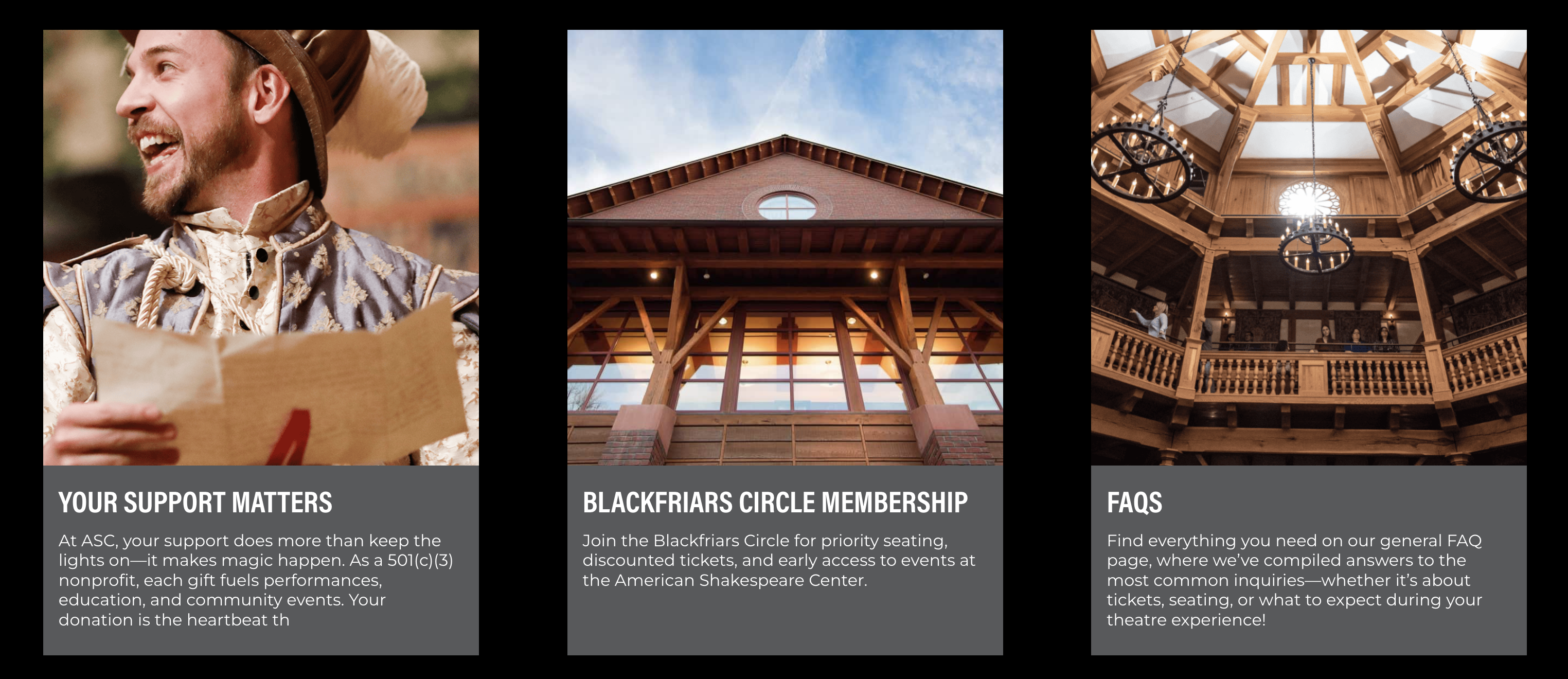
Text Layout for People Lists
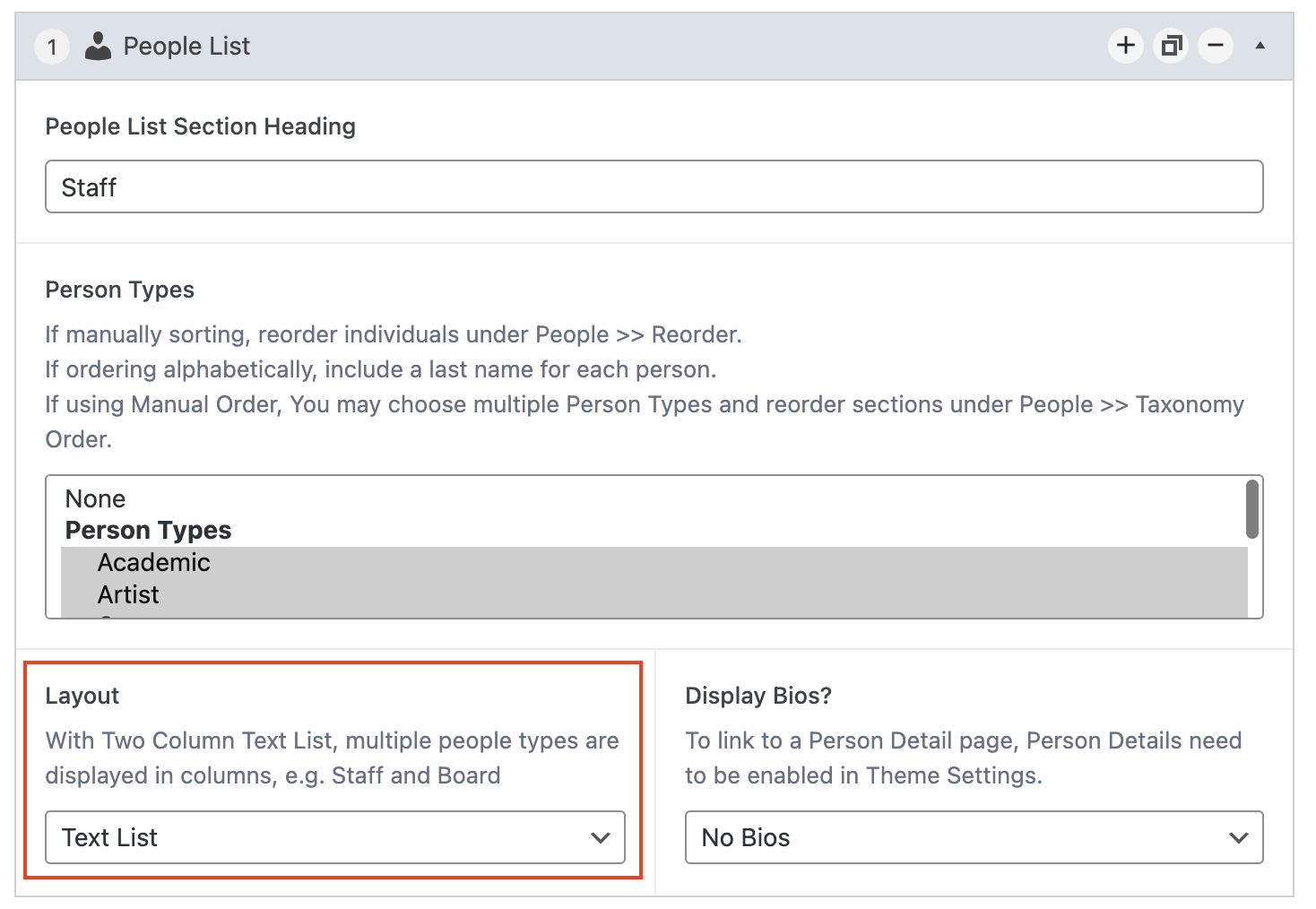
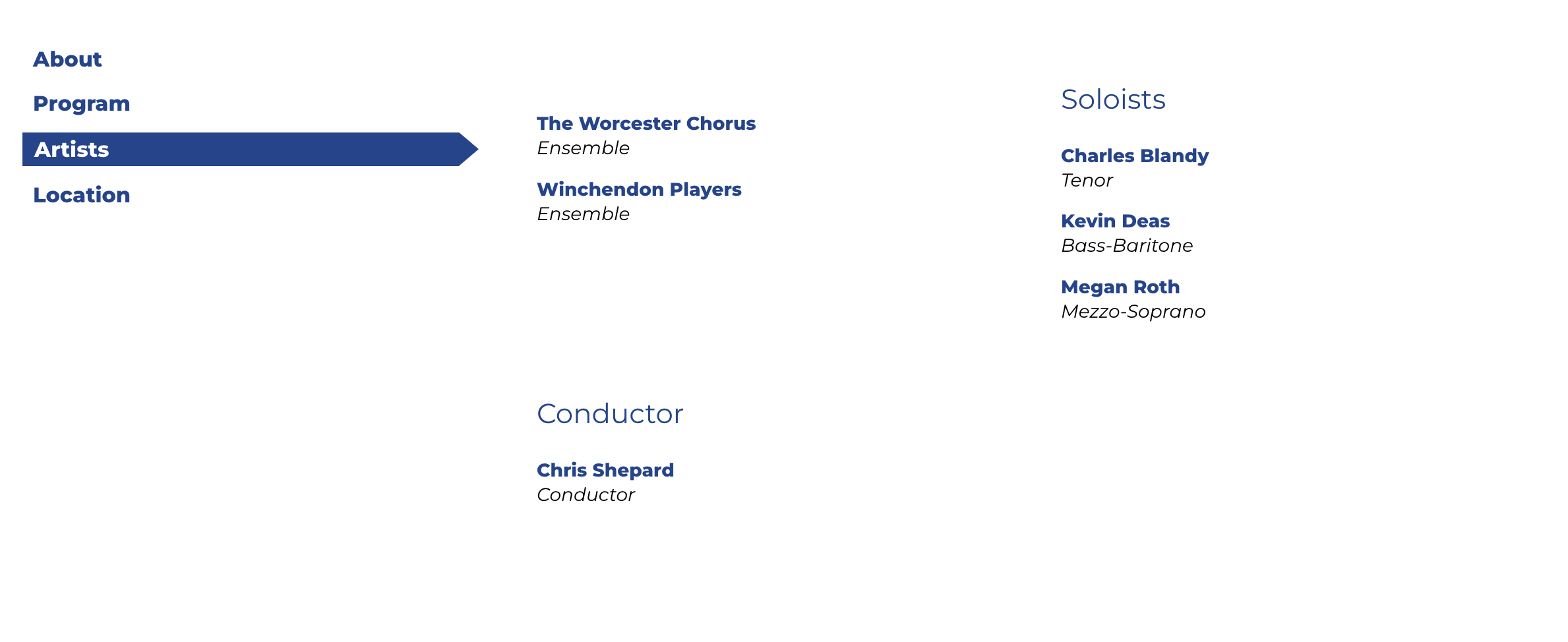
In situations with lots of people without headshots, sometimes you need a text-only layout. With this new mode for People Lists, also available on Events for cast and crew lists, you have the option of a single column or two-column layout, where columns are organized by Person Type or Role Type.
Text Layout for Sponsors with No Logo
When displaying a Sponsor Grid, if you include Sponsors that do not have a logo, they will now sort as a text list at the bottom of that particular Sponsor Grid Level or block, below the grid of logos.
Backstage Improvements
Venue Map Layouts to Reduce Google Maps API Cost
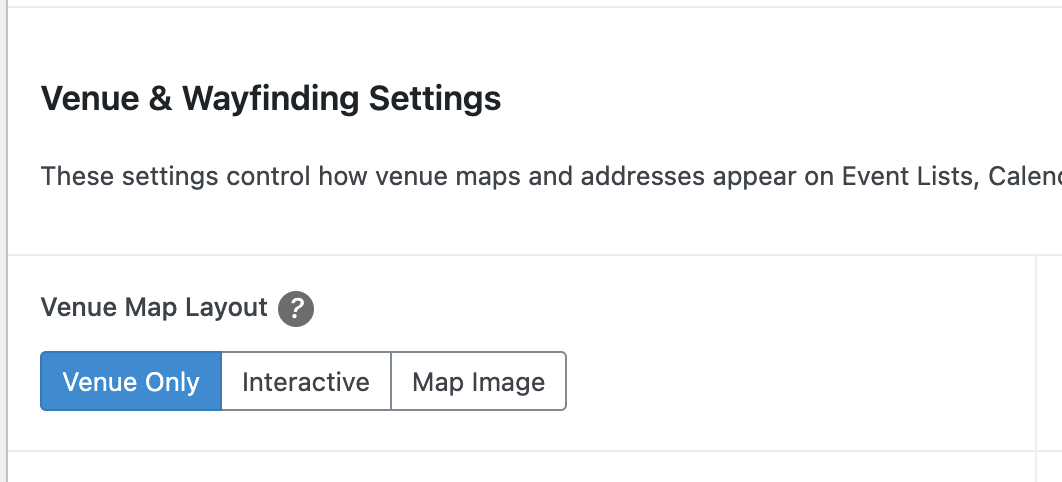
Google recently shrunk the free tier for map loads to 10K map loads per month, and maps can render on every event page. If you'd like to include maps but stay well within free usage, we've added a Venue Map Layout setting. We've switched sites to free map usage by default, but if you don't like the new map style you can switch back.
Where to find it: Groundplan Theme Settings → Event Settings → Event Usability Settings
 Your three options:
- Venue Only(new default) — lightweight map, no billing
- Interactive — full clickable map with ticket links on pins, but the only option that counts against your monthly limit
- Map Image — your own uploaded photo, zero map loads
This one setting controls venue maps everywhere on your site (it doesn't affect custom map blocks). If you want to keep the current interactive experience, just switch it to Interactive — otherwise, no action needed.
Field Tooltips
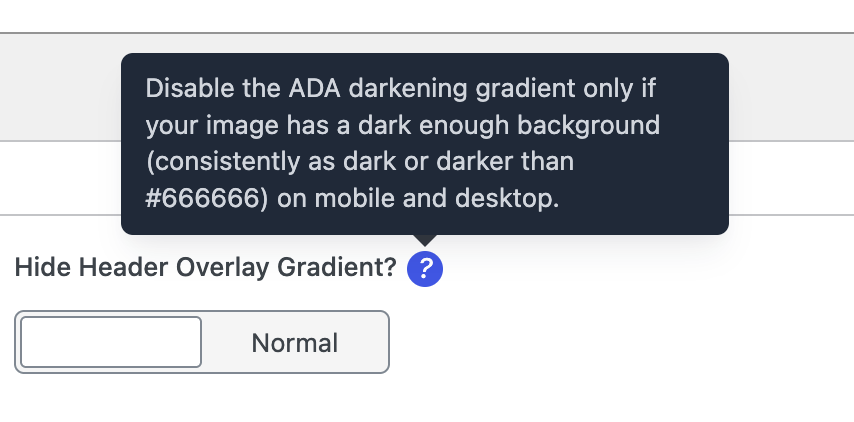
As field instructions got longer and more numerous, they were beginning to clutter up the view. We've now collapsed all field instructions behind a "?" tooltip next to each field for reduced distractions and a cleaner work area as you adjust settings.
Just hover over the "?" icon to read field tips, remind yourself what a setting does, or remember any image size or other guidelines.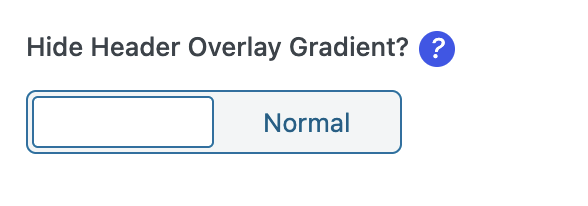
Disable Tabs and Content Blocks
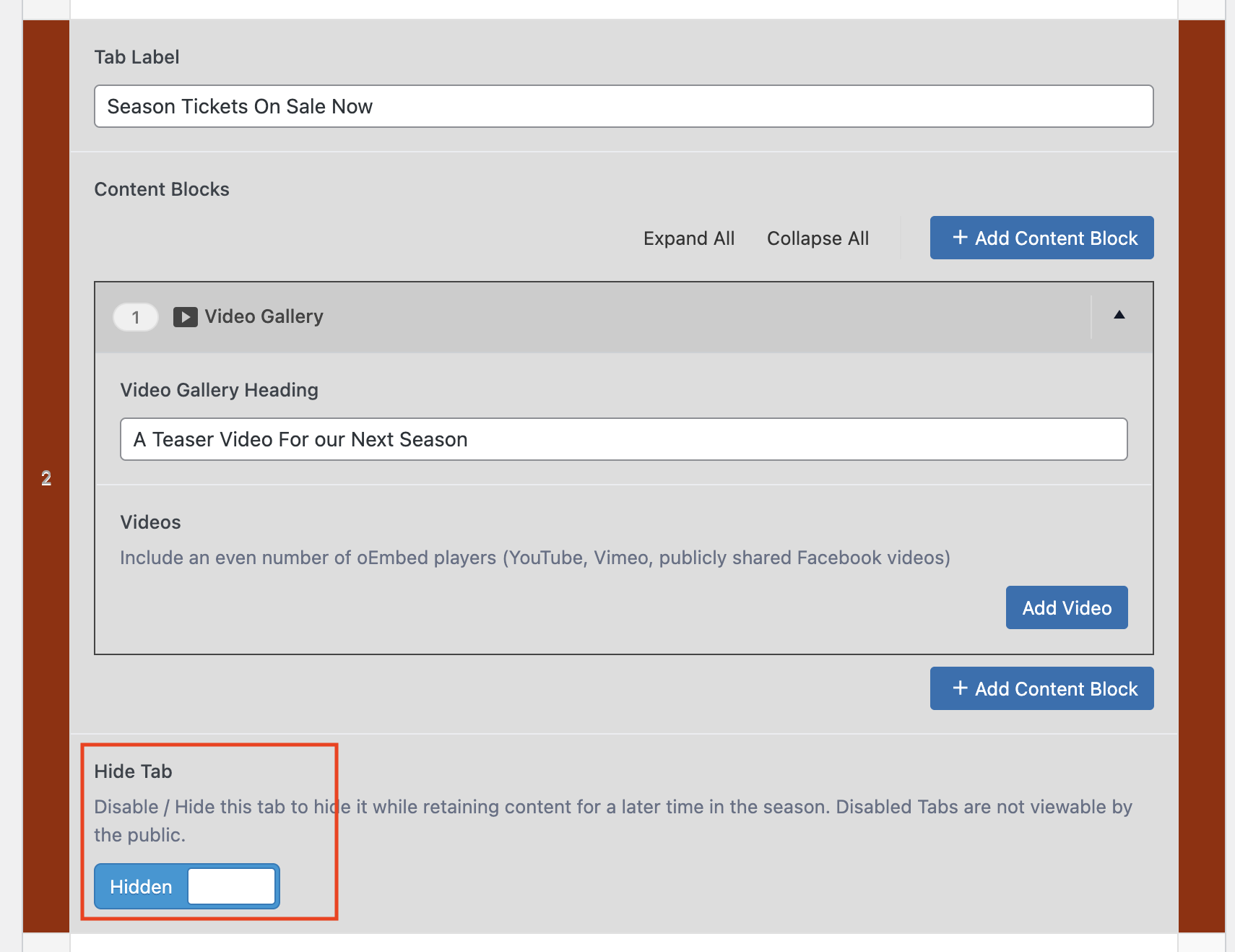
You can now disable tabs and each content block in the admin - while keeping its data saved. It's clear to see which ones are hidden from the public — they'll be visually highlighted in the editor as soon as you toggle them off. This feature is useful for saving complex tab content in a draft state, e.g. for seasonal content or if you need to rework part of a page without losing the old version.
- To disable a tab, select Hide Tab >> Hidden at the bottom of the tab.
- To disable a single content block, hover over the top bar, and select More layout actions (3 dots) >> Disable
New Integrations
WPConsent Cookie Compliance Popup
For organizations who need to be compliant with their states new data privacy laws, you can now enable the WPConsent plugin and we have the following article to get you up and running with a cookie opt-in/out popup:
WPConsent Cookie Consent
FormAssembly Enhancements
We've added settings to add FormAssembly forms with a button which pre-fills your organization ID. Embedded forms now better match your site styling, and reduce unnecessary spacing in the embed. Step‑by‑step instructions live in the Help tab at the top of any edit screen.
Support for Candid and other Verification Badges
The footer sponsor area (Groundplan Theme Settings >> Footer and Social) now offers a third option alongside the single logo and the carousel: paste in your own HTML. This is the place for the trust and transparency badges that live on someone else’s system rather than in your media library — a Candid Seal of Transparency, a Charity Navigator rating, a BBB Wise Giving Alliance seal, a GreatNonprofits badge, or a funder credit block that arrives from a state arts council with its own required markup.
Other Integrations
- Added the Catfolders Lite plugin for optional additional controls and organization for your media library.
- Added the Gravity Forms Webhooks plugin, to enable more complex integrations when a form is submitted.
- Added support for a Bands in Town venue follow button (Available in Footer settings)
Quality of Life and Compliance Improvements
Support for Subscription-only Presales and Timed Onsales
Our Groundplan Pro Presale plugin now has improved support for subscription-only presales and timed onsales of single tickets. For more information on setup, see this article: Presale Settings
General Admission Support in PatronManager Sync
The Groundplan Pro PatronManager sync has a number of performance upgrades in version 3.0, and now supports setting a default venue so that you can sync General Admission events.
Adjustable Timing for Popup after Dismissal
Under Groundplan Theme Settings >> Footer and Social, you can now adjust number of days to dismiss the popup before it reappears. You can set this to any number of days between 2 and 60.
Accessibility and Compliance Improvements
- Improved ADA / color contrast support for Landing Page Text and Media / Text blocks when you choose a dark section background color.
- Improved ARIA compliance and experience for tabs with accessible tools like keyboard navigation.
- The hamburger and sticky submenus are smoother to move through by keyboard — focus follows the menu you opened, Escape closes it, and opening one menu closes the other cleanly.
Bugfixes and Other Goodies
- Performance: Improved object cache and page cache support for Meta and Google click tracking variables, which provides better CPU performance and site uptime during large campaign traffic peaks.
- Design Feature: Added more background color, section padding and title fields to landing page blocks to make color and spacing customization more consistent across Event Lists, Post Lists, Text Blocks and Promo Blocks.
- Design Feature: Image galleries now autoscroll when not hovering over the image or thumbnail.
- Design Feature: Gallery blocks now have left-right arrow navigation in addition to thumbnail navigation.
- Design Feature: Post and event grid cards line up consistently at every screen width, including when cards have titles of very different lengths.
- Design Feature: New setting in Event Settings to Show the Trailer video instead of the Event List image in Event lists and search results. This is on by default, which reflects previous behavior.
- Design Feature: Fixed Column and limit controls on the Instagram Feed block, which had been broken in a previous update of the Instagram connector plugin.
- Design Feature: Event Grid Short Descriptions now strip HTML like headings, as including those HTML tags creates a messy layout. Event Lists DO support simple HTML.
- Content Feature: When People Detail pages are enabled, there is now a Long Bio field that only displays on the people detail page - not in people lists with bio expansion. This gives the ability to support multiple-paragraph bios if needed. This field will automatically fill with the existing short bio if it doesn't have a value, so it's entirely optional.
- Content Feature: Updated Help Articles for latest advice and better linking to online docs.
- Content Feature: Added support for phone numbers in People Lists, e.g. for staff pages.
- Content Feature: The Venue overview field, if set, now displays on venue directions on event pages.
- Content Feature: Added a setting to customize the Event List Button text at the bottom of the Events List that links to the calendar (typically /events)
- UX: When you only include one tab on an Event, no tab navigation will appear and the global sidebar promos will appear by default. You can once again elect to hide that sidebar, even when tabbed event mode is on.
- UX: The FAQ now has animated arrows to help indicate the open/close toggle. ARIA support is improved.
- UX: The marquee announcement now scrolls away with the page on mobile instead of staying pinned to the top and taking up screen space.
- UX: Hamburger menus now display a "Menu" label to help minimize confusion.
- UX: Past performances on the Mini calendar now display with a desaturated color, drawing further focus to upcoming performances.
- UX: Fixed a visual bug with background video on features below the hero position on the landing page.
- UX: Improved spacing and padding when unordered and ordered lists are nested within each other, and with particularly long lists.
- UX: The Home page related event field now adds start dates in Month / Year format in the dropdown. This is to avoid confusion with recurring annual events.
- UX: When expanding bios, People Type section headings now properly hide while the bio is open.
- UX: Improved color contrast for links on the login screen when a custom color is set.
- UX: Fixed a visual bug with the event list filters when venue filters are enabled.
- UX: Improved the layout of the event overview for events and classes using Mini calendar styles.
- UX: Fixed a bug that hid venue directions maps on mobile in certain situations.
- UX: Fixed a bug with the Event List button when the calendar page had a URL different than "/calendar" - it now correctly links to the Calendar page specified in GP Theme Settings >> Event Settings.
- UX: Fixed an issue where video captions would get cut off slightly on mobile layouts.